
Port Scanners: How They Work, Why They Matter, and the Threats They Reveal
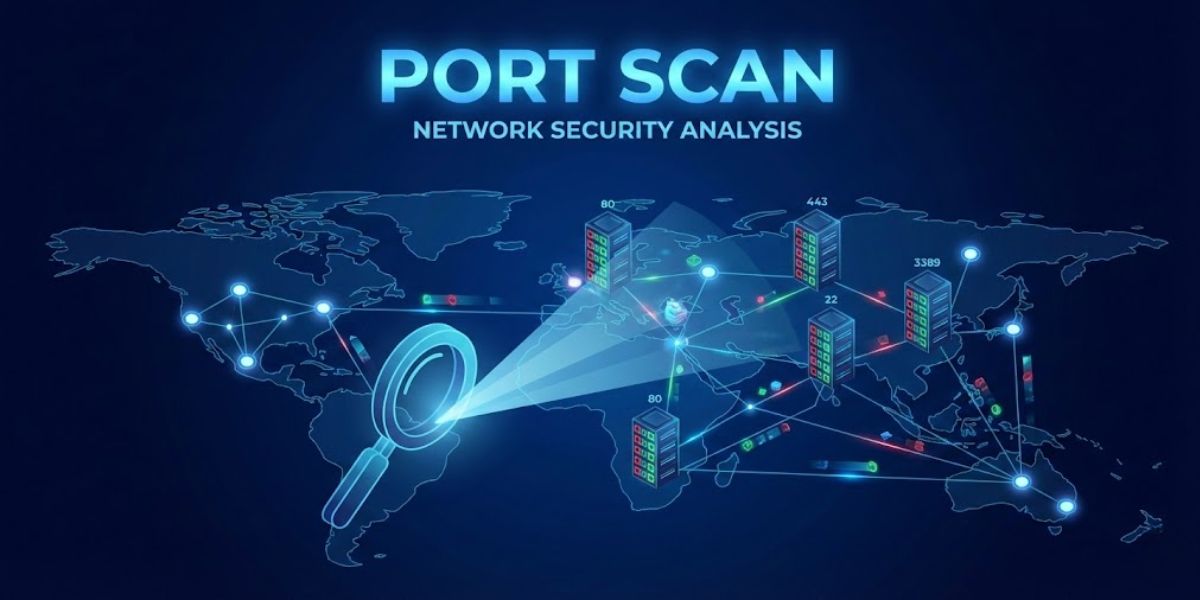
In the world of networking and cybersecurity, port scanners are among the most fundamental tools used to understand how systems communicate and where vulnerabilities may exist. They are used by system administrators, security professionals, and unfortunately attackers to map the digital doors of a computer or server.
Understanding port scanning is essential for anyone running servers, websites, or connected devices. It reveals how attackers discover weaknesses—and how defenders can close them before they are exploited.
What Is a Port Scanner?
A port scanner is a tool that probes a system’s network ports to determine which ones are open, closed, or filtered.
Every computer connected to a network communicates through ports, which are numbered endpoints used by services. For example:
Port Typical Service 21 FTP 22 SSH 25 SMTP 53 DNS 80 HTTP 443 HTTPS 3306 MySQL
If a port is open, it usually means a service is listening and accepting connections. That service may be legitimate—or it may expose a vulnerability.
Port scanners systematically check these ports to build a network profile of the target system.
Why Port Scanning Exists
Port scanning itself is not illegal or malicious by nature. It is widely used for:
- Network Administration
Administrators scan their own systems to verify which services are running and ensure unnecessary ports are closed.
- Security Auditing
Security teams perform scans during penetration testing to identify vulnerabilities before attackers find them.
- Network Mapping
Organizations scan internal networks to inventory devices and services.
However, attackers use the same tools to identify targets for exploitation.
How Port Scanning Works
A port scanner sends network packets to specific ports and analyzes the response.
Typical results include:
Open Port
A service responds and accepts connections.
Closed Port
The system responds but indicates no service is listening.
Filtered Port
A firewall or security device blocks the response.
Attackers use this information to determine:
What services are running
What operating system might be used
Whether vulnerabilities may exist
Common Types of Port Scans
Different scanning techniques attempt to gather information while avoiding detection.
TCP Connect Scan
A full connection attempt is made to a port. This is reliable but easy to detect in logs.
SYN Scan (Half-Open Scan)
Sends only the first part of the TCP handshake to determine if the port is open. Often used to reduce logging and detection.
UDP Scan
Targets UDP ports used by services like DNS, SNMP, and gaming servers.
Stealth Scans
Some scans manipulate packet flags to avoid detection by intrusion detection systems.
Known Threats Associated With Port Scanning
While scanning itself does not exploit vulnerabilities, it is often the first step in an attack chain.
Reconnaissance for Exploits
Attackers scan for services known to have vulnerabilities such as outdated web servers, FTP servers, or databases.
Brute Force Attacks
Once ports like SSH or RDP are identified, attackers may attempt password attacks.
Service Exploitation
Older or unpatched services can contain vulnerabilities that allow remote execution.
Botnet Recruitment
Automated scanners constantly sweep the internet looking for exposed services to compromise and add to botnets.
Data Exposure
Misconfigured services (like open databases) can leak sensitive information.
Warning Signs of Port Scanning
System administrators often detect scanning through:
Firewall logs showing repeated connection attempts
Large numbers of connection attempts across many ports
Rapid requests from a single IP address
Sequential port probes
Tools such as intrusion detection systems can identify scanning patterns.
How to Protect Against Port Scanning Threats
While you cannot prevent someone from scanning your public IP, you can minimize risk.
Close Unnecessary Ports
Only run services that are required.
Use Firewalls
Firewalls restrict access to trusted networks.
Rate Limiting
Limits repeated connection attempts.
Intrusion Detection Systems
Tools detect scanning behavior and alert administrators.
Port Knocking / Access Control
Some systems require authentication before opening ports.
Regular Security Updates
Keeping services patched prevents known vulnerabilities from being exploited.
The Reality of the Internet
Large portions of the internet are constantly scanned by automated systems. If a server is online, it will almost certainly be probed.
The goal of good security practice is not to hide completely—but to eliminate easy attack surfaces.
Timeline: The Evolution of Port Scanning
1970s–1980s Early network administrators manually test services on ARPANET systems.
1990 The rise of network utilities leads to early automated scanning scripts.
1997 The release of advanced scanning tools makes network mapping significantly easier.
1998–2000 Security professionals begin widely using scanners for vulnerability testing.
Early 2000s Mass internet worms scan the internet for vulnerable systems.
2010s Internet-wide scanning platforms appear, allowing researchers to map exposed services globally.
2020s Automated scanning bots continuously probe the internet looking for vulnerable cloud services, IoT devices, and misconfigured databases.
Final Thoughts
Port scanners are a double-edged sword in cybersecurity. They are essential tools for defenders but equally powerful for attackers performing reconnaissance.
Understanding how port scanning works—and what it reveals—helps administrators lock down systems before vulnerabilities can be exploited.
On today’s internet, visibility equals responsibility: if a service is exposed to the world, someone will eventually find it.